
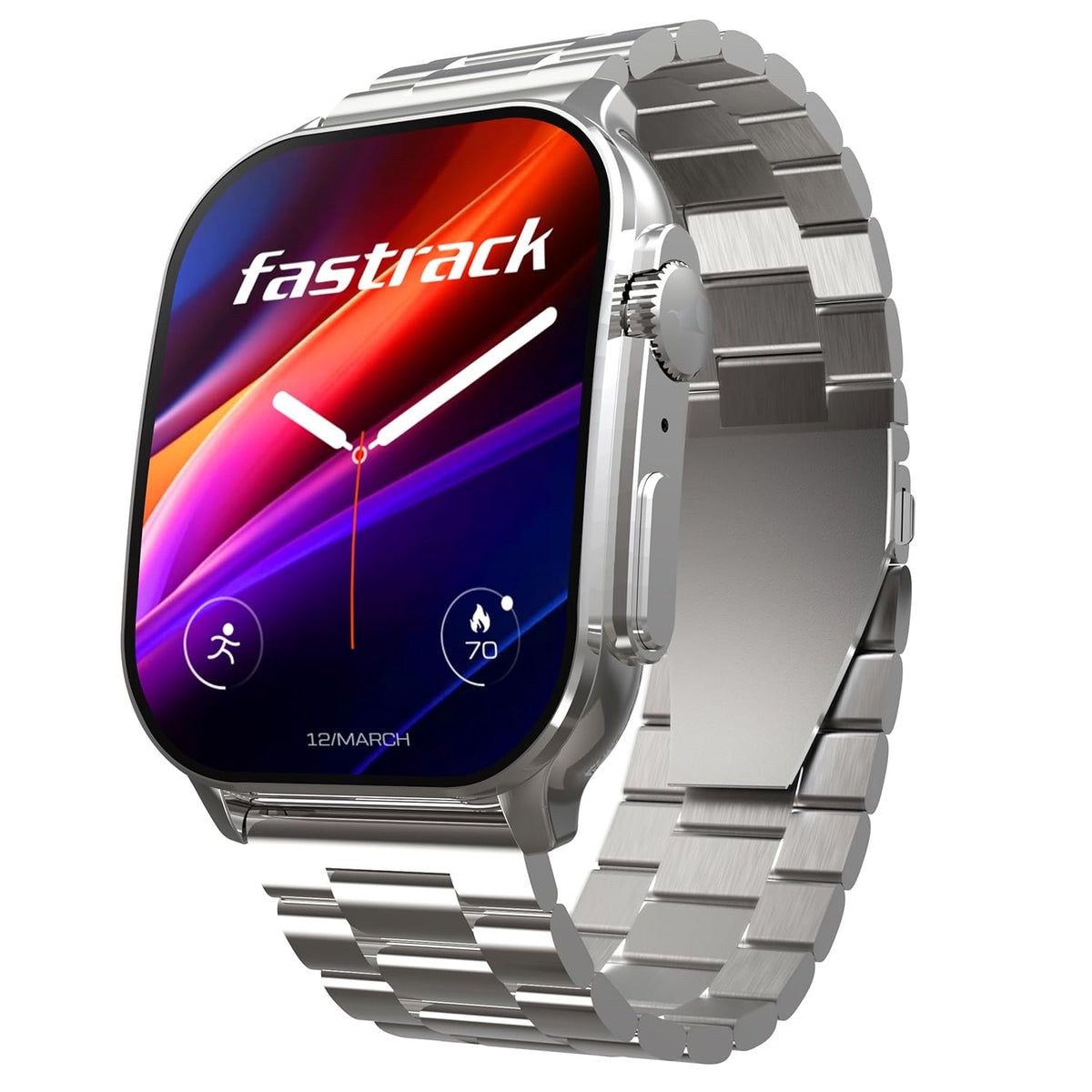
A smartwatch is worn all day, through sweat, dust and the occasional splash. A little routine care keeps the strap comfortable, the sensors reading consistently and the charging contacts working. Check your watch's manual too, because materials and water ratings differ between models.
Strap care by material
Silicone and TPU straps
These soft, rubber-like straps are common on everyday and sports watches; the Redmi Watch 5 Lite, for example, has a TPU strap. Wipe them after workouts and wash them now and then with water and a little mild soap, then rinse and dry them fully. If the strap is detachable, take it off to wash it so the watch body stays dry.
Metal straps
The Fastrack Astor FS2 Pro has a stainless steel band. Wipe metal straps with a soft, dry cloth, use a slightly damp cloth for grime and dry them straight away. A soft, dry brush helps clear dirt from between the links and around the clasp.
Leather and fabric straps
Leather and fabric absorb sweat and water. Keep them for everyday wear rather than workouts or swimming, wipe them with a dry or barely damp cloth, and let them air-dry away from direct sun.
Fit, comfort and skin
- Wear the watch snug but comfortable, about a finger's width above your wrist bone.
- Tighten it a little for workouts for steadier readings, then loosen it afterwards.
- Keep your wrist and the strap clean and dry, because moisture trapped under a strap can irritate the skin.
- Give your wrist a break now and then. If redness or irritation doesn't settle, stop wearing the watch and consult a doctor.
Keeping the sensors clean
The optical sensor on the back of the watch is used for readings such as heart rate and SpO2, and sweat, lotion or dirt on the sensor window can affect them. Wipe the back with a soft, lint-free cloth, slightly dampened with plain water if needed, then dry it. Don't use sharp objects or abrasive cleaners on the sensor window.
Remember that smartwatch health readings are for general wellness, not medical use.
Water and dust
- Know your rating. A 5 ATM rating, like the Redmi Watch 5 Lite's, generally suits swimming in a pool or shallow water, but not diving, hot water, saunas or high-pressure jets. IP67 and IP68 ratings (the Fastrack Astor FS2 Pro lists IP68) mean the watch is dust-tight and protected against immersion under test conditions, which doesn't make it suitable for swimming unless the brand says so.
- Rinse after salt water, chlorine or heavy sweat with fresh water if your watch's rating allows it, then dry it.
- Avoid hot showers and saunas, as heat and steam can weaken the seals.
- Remember that water resistance can reduce over time with wear and knocks.
Our guide IPX4, IP54, IP68 and 5 ATM: Water Resistance Ratings Explained covers the ratings in more detail.
Charging safely
- Dry the watch and its charging contacts first. Never charge a wet or sweaty watch.
- Wipe the contacts on the watch and the charger regularly with a dry cloth or cotton swab, as sweat residue can stop it charging.
- Line up the charger properly; magnetic chargers should snap into place. Check that the charging icon appears.
- Use the supplied charging cable with a good-quality USB adapter, and stop using any cable that is damaged.
- Charge in a cool, dry place, not under a pillow or in direct sun.
- If you won't wear the watch for a while, charge it to around half and top it up every few months.
Quick answers
Can I wear my smartwatch in the shower?
It's best not to. Hot water, steam and soap can wear down the seals, even on water-resistant watches. Follow your manual.
Why has my watch stopped charging?
The most common causes are dirty or damp contacts, a charger that isn't lined up, or a damaged cable. Clean and dry the contacts and try another USB adapter. If it still won't charge, contact us.
How tight should the watch be for heart-rate readings?
Snug enough that it doesn't slide around, but still comfortable, about a finger's width above your wrist bone.
Read Product Care and Battery Safety for more, or browse our smartwatches.


